
OXYGEN-GO app for your mobile device
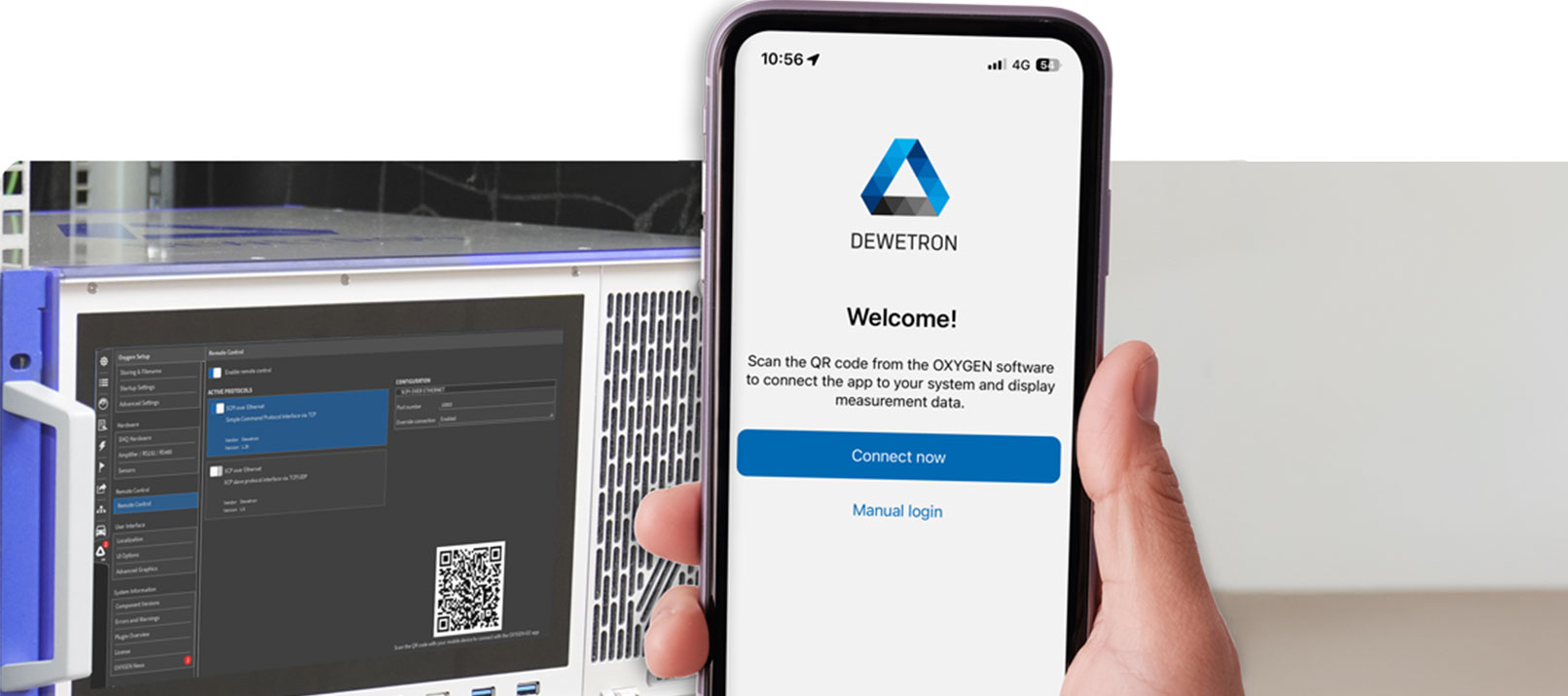
OXYGEN-GOes smart[PHONE]
Modern test and measurement workflows demand flexibility—not every situation allows you to stay in front of a PC. With OXYGEN-GO, DEWETRON brings key measurement insights directly to your smartphone, enabling fast checks, simple control actions, and instant status information.
What is OXYGEN-GO?
OXYGEN-GO is a free mobile app that connects to our OXYGEN measurement software and extends its functionality to your smartphone or tablet. Available for both Android and iOS via the App Store and Google Play Store, the app turns your mobile device into a compact monitoring and control interface for your measurement tasks.
What does the app do?
OXYGEN-GO is designed to give you a quick and clear overview of your measurement system—ideal for fast status checks during setup, validation, troubleshooting, or field work. Instead of opening the full software interface, you can access the most important information with just a few taps.
In detail, the current OXYGEN-GO features include:
- Display of all analog TRION(3) channels with live values and saturation status
- Access to channel-specific hardware information
- Waveform inspection of the last 3 seconds (200 S/s update rate, one channel at a time)
- Review of hardware channel settings
- Editing of amplifier options
- Editing of input mode specifications
- Start, stop, and pause of recordings
- Quick access to local DEWETRON support contact details
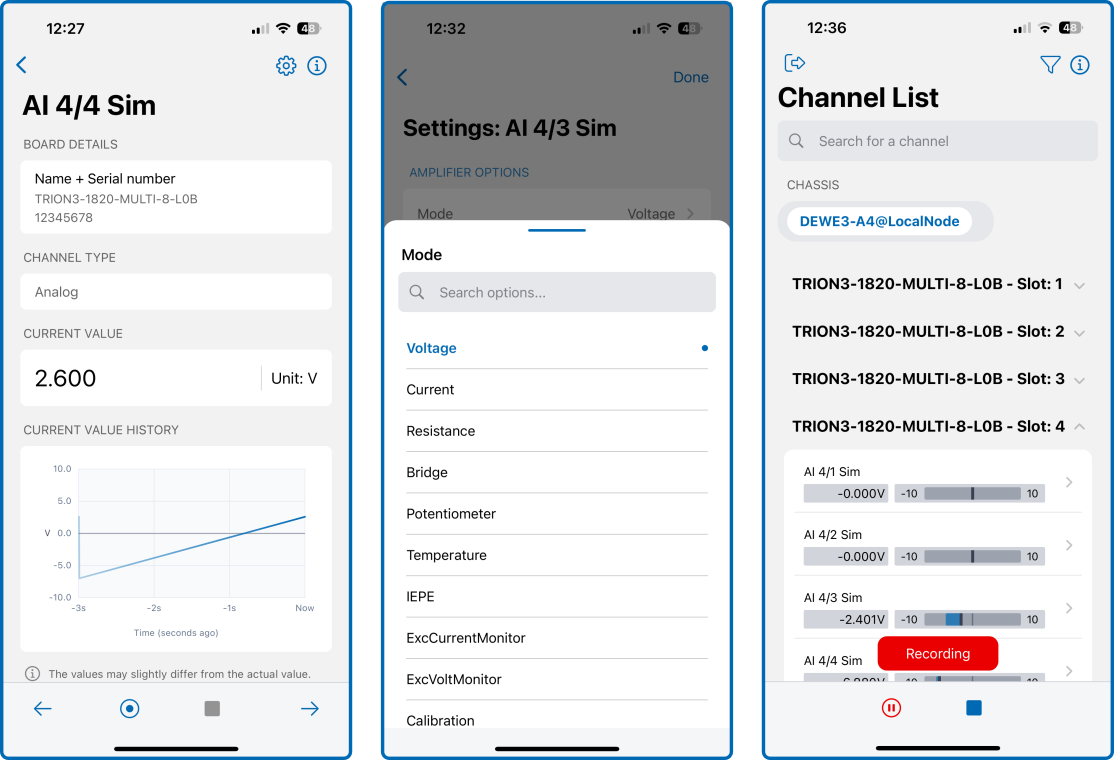
Fig. 1: OXYGEN-GO functionalities
Want to know more about OXYGEN-GO or our OXYGEN measurement software?
How does it work?
OXYGEN-GO communicates with your DEWETRON data acquisition system via the SCPI interface. For a successful connection, SCPI must be enabled in OXYGEN, and both the mesaurement system and your mobile device must be connected to the same network. Direct connections via hotspot are also supported, making OXYGEN-GO suitable for both lab and mobile applications.
Simple step-by-step connection guide
In OXYGEN (on your DAQ system):
- Open OXYGEN Setup and navigate to the Remote Control tab
- Enable Remote Control and activate SCPI over Ethernet
- A QR code will be displayed automatically
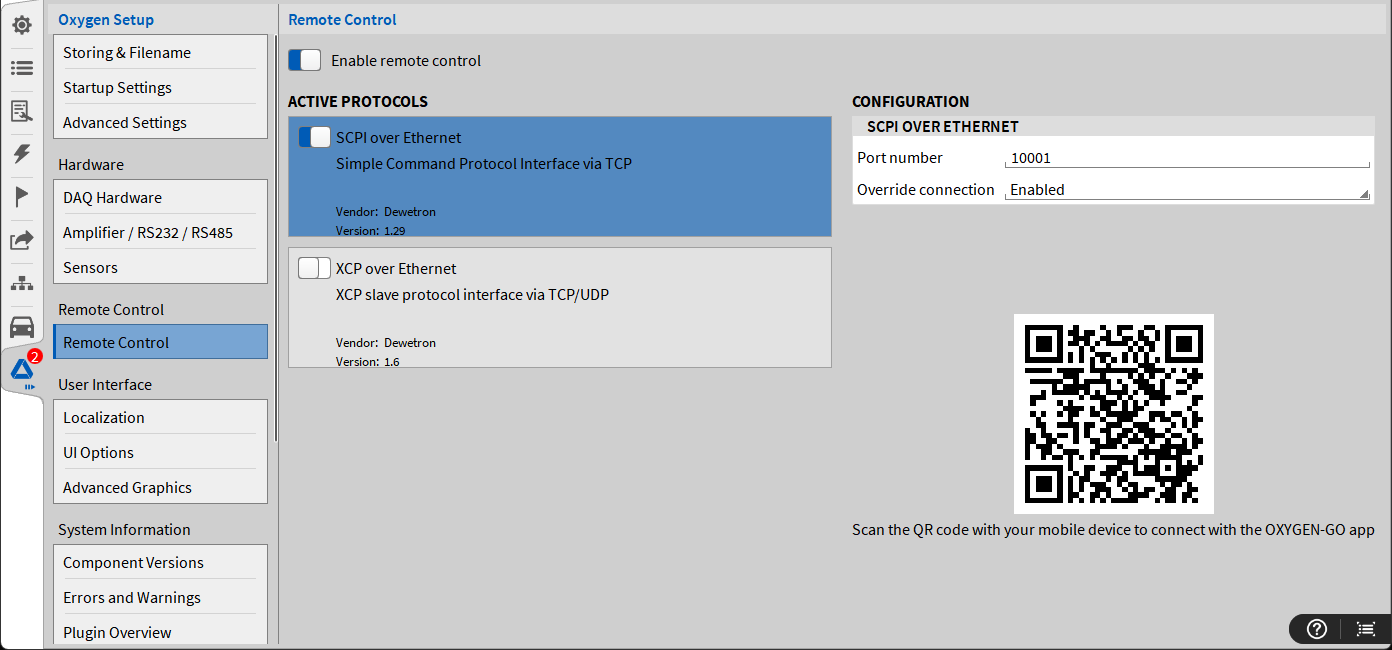
Fig. 2: OXYGEN-GO setup
In OXYGEN-GO (on your smartphone):
- Tap Connect now
- Scan the QR code shown in OXYGEN
- The connection is established automatically
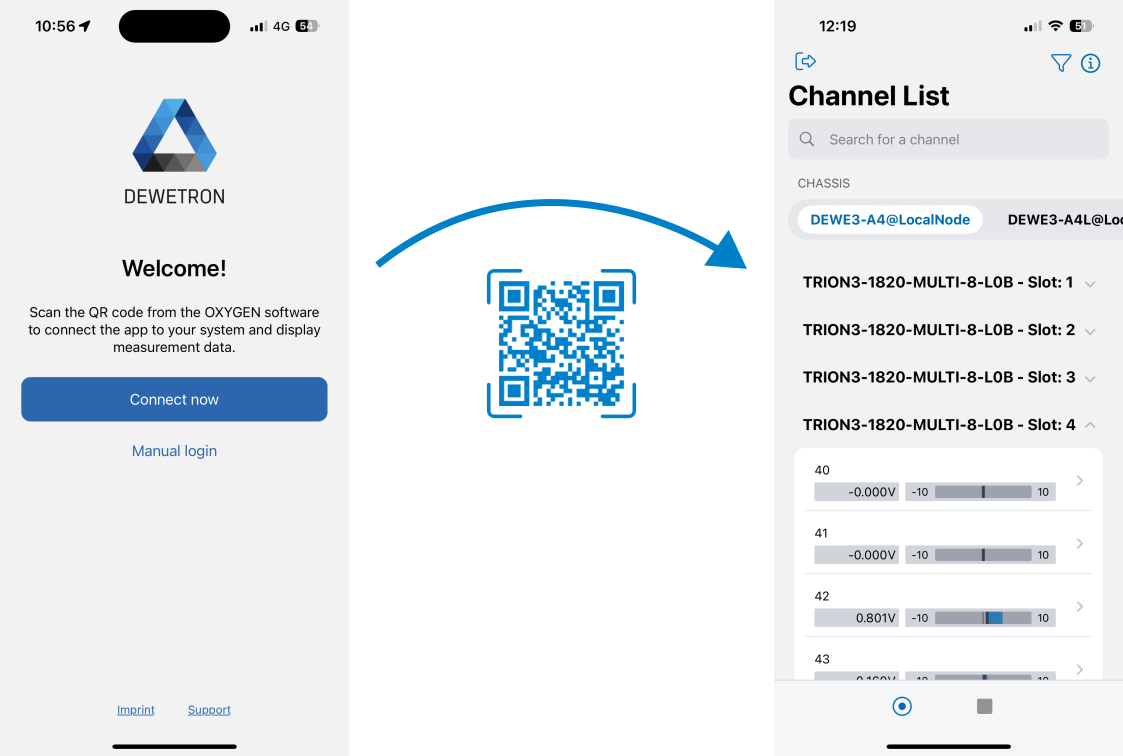
Fig. 3: OXYGEN-GO connection process
With OXYGEN-GO, we add a lightweight extension to our OXYGEN ecosystem. The app enables you to stay informed and in control without interrupting your workflow. Fast access, intuitive handling, and seamless integration make OXYGEN-GO the perfect companion for modern data acquisition. Download OXYGEN-GO today and experience how easy mobile measurement monitoring can be.
Get started – download OXYGEN-GO NOW
Get the free app now
App Store

Google Play
Want to see all OXYGEN-GO highlights at one glance?
You are currently viewing a placeholder content from YouTube. To access the actual content, click the button below. Please note that doing so will share data with third-party providers.
More Information